 Skip to content

Picture this: 8 million South Africans rely on the SASSA SRD grant every month, but a lost phone can cut that lifeline in seconds. Stressful? Absolutely. Fixable? You bet. Updating contact details—specifically the cellphone number—ensures grant recipients stay connected to critical updates and payments. Whether someone’s phone got snatched or they simply swapped SIMs, mastering the SRD change cellphone number process is a game-changer. This guide walks through every step, from online tweaks to WhatsApp chats, with no fluff—just results.

Life happens. Phones vanish. SIMs fail. When that number tied to the SASSA Social Relief of Distress (SRD) grant changes, action is non-negotiable. Miss an OTP or payment notification, and the R370 monthly lifeline stalls. Fortunately, SASSA offers straightforward methods to update details. This article breaks them down, tackles common hiccups, and arms readers with tools to keep the grant flowing smoothly.
SRD Change Cellphone Number Online—Fast and Simple
Updating an SRD grant cellphone number online takes minutes. SASSA’s portal is built for it. Recipients need two things: their 13-digit South African ID and 6-digit application ID. No guesswork here—just follow these steps.
Head to https://srd.sassa.gov.za/sc19/contact. It’s the official spot. Look for the “Change Phone Number” option—can’t miss it. Punch in the ID number and application ID, then hit “Submit.” The system verifies identity instantly. Next, a form pops up. Enter the registered email (if applicable) and the new cellphone number. Double-check those digits—typos kill progress.
SASSA asks why the change is happening. Options include “phone lost/stolen” or “used someone else’s number.” Pick one from the dropdown. Submit it. An OTP lands on the new number within moments. Type that code back into the site and click “Submit” again. Done. SASSA sends a confirmation, and updates take up to 14 days to lock in. Payments and alerts then route to the new number. Easy.
What if the OTP doesn’t arrive? Network glitches happen. Wait a minute. Still nothing? Use the WhatsApp method instead—details below. The online route shines for its speed, but precision matters. Wrong numbers or IDs? The system kicks it back. Get it right, and it’s smooth sailing.
Switch It Up via WhatsApp
No internet? No stress. SASSA’s WhatsApp line at 082 046 8553 handles cellphone number changes like a champ. It’s direct, mobile-friendly, and skips the website hassle. Here’s how it rolls.
Save that number first. Open WhatsApp, type “Hi,” and send. A menu fires back—options galore. Select “Update Personal Details.” The system prompts for the ID number and verification details. Enter them carefully. When it asks for the new number, type it in. Accuracy is king—one fat-finger, and it’s a bust.
Submit the request. Processing kicks off. SASSA confirms the update once it’s done—no OTP required here. It’s a lifeline for folks without steady Wi-Fi. Expect a 14-day wait for the switch to stick, just like the online method. Test it after: send a status check to confirm the new number’s live. Works every time.
WhatsApp’s beauty? Accessibility. Rural areas, spotty data—doesn’t matter. As long as the phone’s charged, it’s game on. Keep that 082 number handy—it’s a shortcut worth having.
Offline? Call or Visit SASSA
Sometimes tech fails. No internet, no WhatsApp, no problem. SASSA’s toll-free line and offices step up. Changing a cellphone number offline takes effort but delivers results. Two paths exist.
First, the call center: 0800 60 10 11. Dial it. A rep answers—eventually. High call volumes can mean a wait, so patience is key. Once connected, explain the need: “I’ve lost my phone; update my SRD number.” They’ll ask for the ID number and old number to verify identity. Hand those over. Then, provide the new number. The agent logs it, and the change processes in 14 days. Confirmation comes later via SMS or a follow-up call.
Second option: visit a SASSA office. Find the nearest one on srd.sassa.gov.za—locations are listed. Bring the ID and any grant paperwork. Tell the staff the situation. They hand over a form. Fill it out—name, ID, old number, new number. Submit it with the ID for verification. Staff process it on-site, but the system still takes 14 days to update. It’s hands-on, reliable, and beats endless hold music.
Offline works when digital options flop. Pick the phone for convenience, the office for certainty. Either way, the number gets changed.
Lost Your Application ID? Here’s the Fix
No application ID? No panic. That 6-digit code ties the grant to the recipient, but SASSA’s got a retrieval trick. Without it, online and WhatsApp methods stall. Get it back like this.
Visit the SRD status check page at https://srd.sassa.gov.za. Enter the 13-digit ID and the old cellphone number—the one originally registered. Click “Submit.” The screen flashes the application ID on the first line. Write it down. Lost the old number too? Call 0800 60 10 11 or hit an office with the ID. Staff dig it up after verifying identity.
That ID unlocks everything. Once retrieved, plug it into the online or WhatsApp steps above. It’s a small detour, not a dead end. Keep it safe next time—paper, phone note, whatever works.
Stolen Phone? Act Fast
Phone’s gone—snatched or lost. The SRD number’s at risk. Move quick to secure the grant. SASSA’s process handles this mess without an OTP.
Report it at https://srd.sassa.gov.za/sc19/auth. Enter the ID number. The system asks if the number changed without permission. Answer “Yes” or “No.” If “Yes,” submit the report. SASSA flags it, investigates, and pauses unauthorized changes. Next, request a SIM replacement from the provider with the ID. Same number, new card. No need to update SASSA if the digits stay put.
If the thief’s already meddling, call 0800 60 10 11 pronto. Explain the theft. Staff lock the account until it’s sorted. Then, update the number via any method above. Speed matters—don’t let payments slip to a stranger’s hands.
Why It Matters
An active cellphone number isn’t optional. SASSA leans on it hard. OTPs for logins, payment dates, status updates—all hit that line. Lose it, and the grant falters. Delays pile up. Payments stall. A simple update dodges that chaos.
Reasons stack up. Phone stolen? New SIM? Wrong number entered initially? Someone else’s digits used and now unreachable? Each screams for a fix. An outdated number risks everything. Stay ahead of it—keep SASSA in the loop.
Troubleshooting Hiccups
Things go sideways sometimes. OTPs vanish. Forms reject. Numbers won’t stick. Here’s how to wrestle those snags down.
No OTP? Check signal—weak bars block texts. Wait five minutes. Still blank? Switch to WhatsApp or call 0800 60 10 11. “Invalid ID” error? Retype it—spaces or dashes crash it. Application rejected? Verify the old number matches records. Mismatch stalls it. Office visit clears stubborn blocks—staff override glitches.
Persistence pays. Test the new number post-update. Send a status check. Response confirms it’s live. Problems linger? SASSA’s helpline cuts through red tape.
How Long and How Many Tries?
Updates take 14 days—standard across methods. SASSA verifies, then activates. Rush it? No dice—system’s locked to that pace. Check status after two weeks to confirm.
One request per day, max. Multiple tries in 24 hours? Denied. Space them out. One solid submission beats spamming. Track progress via the status page or helpline.
Pedros Franchise: Costs and Steps to Own One
Wrap-Up: SRD Change Cellphone Number
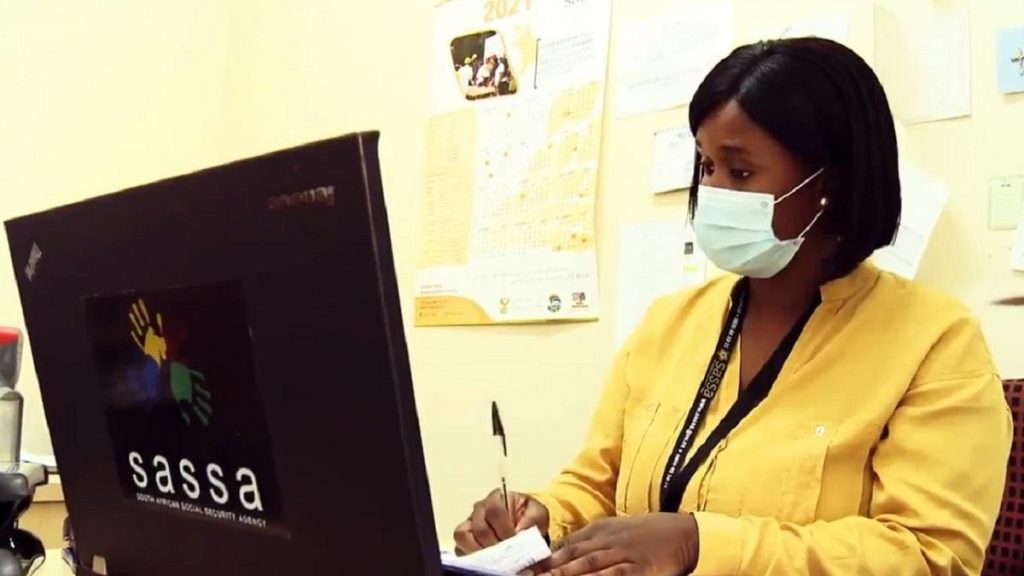
SRD change cellphone number isn’t a maze—it’s a straight shot with the right steps. Online clicks, WhatsApp texts, or offline grit—pick what fits. Millions depend on that R370 lifeline monthly. A dead number kills it. Update it fast, verify it sticks, and keep the grant rolling. Questions? Hit 0800 60 10 11 or the nearest office. Stay connected—literally.
Get the latest entrepreneurial success stories, expert tips, and exclusive updates delivered straight to your inbox — Sign up for Entrepreneur Hub SA’s newsletter today!
